Artificial intelligence has become one of the most valuable study companions for students. Whether you’re in high school, college, or university, AI tools can help you understand complex topics, improve your writing, organize notes, conduct research, create presentations, and prepare for exams more efficiently.
We tested and compared these tools based on real student use cases, including homework help, research, writing, note-taking, and exam preparation.
The challenge isn’t finding an AI tool—it’s choosing the right one. Some tools are better for writing essays, while others excel at research, note-taking, presentations, or language learning.
In this guide, we’ve carefully reviewed the best free AI tools for students in 2026 based on ease of use, free-plan features, accuracy, privacy, productivity, and overall value. Rather than recommending a single tool for every situation, we explain where each tool performs best so you can choose the one that matches your academic needs.
Whether you need help with homework, revision, research papers, or everyday productivity, this guide covers the top free AI tools available today.
Table of Contents
What Are AI Tools for Students?
AI tools for students are software applications that use artificial intelligence to make studying faster, easier, and more effective. They can answer questions, explain difficult concepts, summarize long documents, improve writing, generate study notes, create flashcards, translate languages, and even build presentations.
Unlike traditional educational software, modern AI tools understand natural language. Instead of searching through multiple websites, students can ask questions in plain English and receive clear explanations, personalized study plans, or concise summaries within seconds.
When used responsibly, AI can enhance learning rather than replace it. The most effective approach is to use AI to understand concepts, organize information, practice problem-solving, and improve productivity—not simply copy answers. Always verify important information with reliable sources and follow your school’s academic integrity policies.
Benefits of Using AI Study Tools
AI tools can save time, improve learning, and help students stay organized throughout the academic year. When used responsibly, they enhance productivity while encouraging better understanding of course material.
1. Save Time on Everyday Tasks
AI can summarize lengthy articles, organize notes, generate study guides, and answer questions in seconds. This allows students to spend more time understanding concepts instead of completing repetitive tasks.
2. Improve Writing Skills
Writing assistants help correct grammar, spelling, punctuation, and sentence structure. Many tools also suggest clearer wording, improve readability, and provide feedback that helps students become stronger writers over time.
3. Conduct Research More Efficiently
AI-powered research assistants can explain complex topics, summarize multiple sources, and help students find relevant information faster. Some tools also provide citations or source links that make fact-checking easier.
4. Personalize Learning
Every student learns differently. AI can adjust explanations based on your level of knowledge, provide step-by-step guidance, and simplify difficult concepts into language that’s easier to understand.
5. Increase Productivity
From creating study schedules and managing assignments to organizing notes and setting reminders, AI helps students stay focused and meet deadlines more effectively.
AI also helps students stay organized by improving time and resource management.
You may also find our guide on Money Management for Students helpful for better financial planning.
6. Support Different Learning Styles
Modern AI tools support visual, auditory, and text-based learning. Students can generate diagrams, flashcards, quizzes, audio summaries, or interactive study materials based on their preferred learning style.
7. Enhance Exam Preparation
Many AI tools can generate practice questions, mock quizzes, revision notes, and flashcards, helping students identify knowledge gaps before exams.
How We Selected These AI Tools
This guide is based on practical testing and real-world use rather than popularity alone. Each tool was evaluated using criteria that matter most to students.
We considered the following factors:
- Availability of a genuinely useful free plan
- Accuracy and reliability of AI responses
- Ease of use for beginners
- Features designed specifically for students
- Writing, research, and study capabilities
- Privacy and security practices
- Cross-platform compatibility (Web, Windows, macOS, Android, and iOS)
- Overall value compared with paid alternatives
- Regular updates and long-term platform support
We also assessed how well each tool performs for common academic tasks, including:
- Homework assistance
- Essay writing
- Research and fact-checking
- Note-taking and summarization
- Presentation creation
- Coding assistance
- Language learning
- Exam preparation
- Productivity and organization
Only tools that provide meaningful value through their free plans were included in this guide.
Why You Can Trust This Guide
We evaluate each AI tool based on real student use cases, free-plan usefulness, accuracy, ease of use, and cross-platform availability. The guide is regularly updated to reflect changes in features, pricing, and limitations, helping students make informed choices.
Best Free AI Tools for Students in 2026 (Quick Overview)
The best free AI tools for students in 2026 are ChatGPT, Google Gemini, Claude, Perplexity, NotebookLM, Grammarly, QuillBot, Canva AI, Microsoft Copilot, Notion AI, Gamma, Otter.ai, ElevenLabs, and DeepL.
These tools help with homework, essay writing, research, note-taking, presentations, productivity, transcription, translation, and exam preparation. Each tool serves a different academic purpose, so the best choice depends on your study needs.
- Use ChatGPT, Claude for writing and explanations
- Use Perplexity, Gemini for research and citations
- Use NotebookLM, Otter.ai for notes and lectures
- Use Grammarly, QuillBot for writing improvement
- Use Canva AI, Gamma for presentations
- Use DeepL, ElevenLabs for language learning and audio study
Best Free AI Tools for Students (2026 Comparison Table)
| AI Tool | Best Use Case | Free Plan | Platforms (Web, Desktop, Mobile) | Mobile App |
| ChatGPT | Homework help, AI writing assistant, coding support, exam preparation | Yes | Web, Windows, macOS, Android, iOS | Yes |
| Google Gemini | AI research tool, Google search assistant, document summarizer | Yes | Web, Android, iOS | Yes |
| Claude | Essay writing, academic writing, long document analysis | Yes | Web, Android, iOS | Yes |
| Perplexity AI | AI research engine, citation-based answers, fact-checking | Yes | Web, Windows, macOS, Android, iOS | Yes |
| NotebookLM | Study notes, PDF summarizer, exam revision assistant | Yes | Web | Limited (Web-based) |
| Grammarly | Grammar checker, writing improvement, essay proofreading | Yes | Web, Desktop, Mobile | Yes |
| QuillBot | Paraphrasing tool, summarizer, citation generator | Yes | Web | No |
| Canva AI | AI presentation maker, design tool for student projects | Yes | Web, Desktop, Android, iOS | Yes |
| Microsoft Copilot | Productivity AI for Word, Excel, PowerPoint, Office tasks | Yes | Web, Windows, Android, iOS | Yes |
| Gamma AI | AI presentation generator, instant slide creation tool | Yes | Web | No |
| Notion AI | AI notes organizer, study planner, task management tool | Limited | Web, Desktop, Mobile | Yes |
| Otter.ai | AI lecture transcription, voice-to-text study notes | Yes | Web, Android, iOS | Yes |
| ElevenLabs | AI text-to-speech, audio study notes, language listening practice | Yes | Web | No |
| DeepL | AI translation tool, language learning, academic translation | Yes | Web, Desktop, Mobile | Yes |
Let’s start with the most powerful all-round AI tool for students.
1. ChatGPT – Best Free AI Homework & Study Assistant
Overview
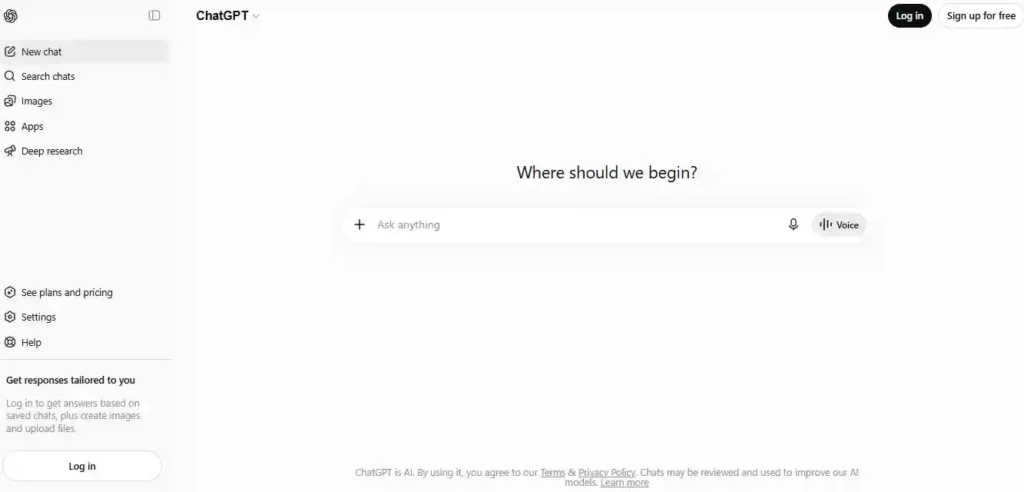
ChatGPT is one of the most versatile AI tools available for students. It can explain difficult concepts, answer questions, help with homework, improve writing, generate study plans, solve coding problems, and brainstorm ideas. Its conversational interface makes it feel like a personal tutor that’s available whenever you need it.
Whether you’re writing an essay, preparing for an exam, or learning a new subject, ChatGPT adapts to your level and learning style, making it an excellent all-around study companion.
Best Features
- Explains complex topics in simple language
- Essay outlining and writing assistance
- Homework and problem-solving support
- Coding help for beginners and advanced learners
- Study plans, quizzes, and flashcard generation
- Brainstorming for assignments and projects
- File and image understanding (availability depends on current free-plan limits and region)
Pros
- Easy to use
- Supports almost every academic subject
- Fast, conversational responses
- Excellent for brainstorming and learning
- Available on web and mobile apps
Cons
- Free usage limits may apply
- AI responses should always be verified
- Doesn’t replace academic sources or textbooks
Free Plan
The free plan includes access to core ChatGPT features, making it suitable for everyday studying, writing, and research.
Best For
- Homework
- Essay writing
- Exam preparation
- Coding practice
- General learning
Pricing
Free plan available with optional paid upgrades.
Official Website
https://chat.openai.com
Rating
⭐⭐⭐⭐⭐
Expert Tip
Instead of asking for the answer, ask ChatGPT to explain the reasoning step by step. This helps improve understanding and builds stronger problem-solving skills.
2. Google Gemini – Best AI Tool for Research
Overview
Google Gemini is ideal for students who spend a lot of time researching. It combines Google’s search capabilities with AI-generated explanations, making it easy to understand complex topics, summarize articles, compare information, and organize research.
Gemini also integrates well with Google Workspace, making it especially useful for students who regularly use Docs, Gmail, Drive, and Slides.
Best Features
- Real-time web research
- Google Workspace integration
- Summarizes articles and PDFs
- Supports text, images, and documents
- Generates study notes and explanations
Pros
- Excellent research assistant
- Access to current web information
- Great for summarizing long content
- User-friendly interface
- Strong Google ecosystem integration
Cons
- Some advanced features require paid plans
- Responses can occasionally lack depth for specialized topics
- Requires a Google account
Free Plan
A generous free plan provides access to core AI features for research, writing, and productivity.
Best For
- Academic research
- Fact-checking
- Summarizing documents
- Google Workspace users
Pricing
Free plan with optional premium upgrades.
Official Website
https://gemini.google.com
Rating
⭐⭐⭐⭐⭐
Expert Tip
Use Gemini to summarize lengthy research papers before reading them in full. It helps you quickly identify the key points and decide whether a source is relevant.
3. Claude – Best AI for Essays and Long Documents
Overview
Claude stands out for its ability to understand and generate long-form content. Students frequently use it to improve essays, analyze research papers, summarize lengthy PDFs, and receive detailed explanations.
Its natural writing style and strong reasoning capabilities make it particularly useful for humanities, social sciences, and research-heavy assignments.
Best Features
- Long-document analysis
- Essay improvement
- Detailed explanations
- PDF summarization
- Strong reasoning abilities
- Natural writing style
Pros
- Excellent for long essays
- Produces clear, well-structured writing
- Handles large documents effectively
- Strong contextual understanding
- Helpful for editing academic work
Cons
- Free usage limits
- Some features require a paid subscription
- Less integrated with third-party apps than some competitors
Free Plan
The free plan offers enough daily usage for most students, although usage limits apply.
Best For
- Essays
- Research papers
- Long reports
- Literature reviews
- Academic writing
Pricing
Free plan with optional Pro subscription.
Official Website
https://claude.ai
Rating
⭐⭐⭐⭐⭐
Expert Tip
Upload your draft and ask Claude to improve clarity, organization, and flow while preserving your own writing style. This produces better results than asking it to rewrite the entire paper.
4. Perplexity – Best AI Research Assistant
Overview
Perplexity is an AI-powered answer engine designed for research. Unlike many AI chatbots, it provides answers with source citations, making it easier to verify information and explore original references. This makes it particularly valuable for research papers, assignments, and fact-based learning.
Students can ask follow-up questions, compare sources, and quickly understand complex topics without spending hours searching multiple websites.
Best Features
- AI-powered web search
- Source citations with responses
- Follow-up questions for deeper research
- Summarizes articles and research papers
- Supports file uploads in supported plans
Pros
- Excellent for academic research
- Shows sources for verification
- Fast and easy to use
- Reliable for fact-based questions
- Great for literature reviews
Cons
- Less suited for creative writing
- Some advanced AI models require a paid plan
- Always verify cited sources before submitting academic work
Free Plan
The free plan includes AI search, source-backed answers, and daily usage suitable for most students.
Best For
- Research papers
- Fact-checking
- Literature reviews
- Citation discovery
- Academic research
Pricing
Free plan available with optional Pro subscription.
Official Website
https://www.perplexity.ai
Rating
⭐⭐⭐⭐⭐
Expert Tip
Use Perplexity to discover reliable sources, then read the original articles instead of relying only on the AI summary.
5. NotebookLM – Best AI Tool for Study Notes
Overview
NotebookLM is Google’s AI-powered research notebook that helps students learn directly from their own materials. You can upload lecture notes, PDFs, textbooks, research papers, and class documents, then ask questions based only on those sources.
Instead of searching the internet, NotebookLM focuses on your uploaded content, making it one of the most useful AI tools for revision and exam preparation.
Best Features
- Upload PDFs, lecture notes, and documents
- AI-generated summaries
- Study guide creation
- Answers questions from your own materials
- Timeline and concept organization
- Audio Overviews (supported in available regions)
Pros
- Excellent for revision
- Uses your own study materials
- Reduces research time
- Organized workspace
- Ideal for exam preparation
Cons
- Requires a Google account
- Internet connection required
- Less suitable for creative writing tasks
Free Plan
NotebookLM is free for most students with a Google account, though usage limits may apply.
Best For
- Revision
- Lecture notes
- Study guides
- Exam preparation
- Research organization
Pricing
Free with optional premium features through eligible Google plans.
Official Website
https://notebooklm.google
Rating
⭐⭐⭐⭐⭐
Expert Tip
Upload all your lecture slides for a course, then ask NotebookLM to generate revision questions, summaries, and a personalized study plan before exams.
6. Grammarly – Best AI Writing Assistant
Overview
Grammarly helps students write with greater accuracy and confidence. Beyond correcting grammar and spelling, it improves clarity, readability, tone, and sentence structure, making essays and assignments more polished.
It works across browsers, desktop applications, and mobile devices, allowing students to receive writing suggestions almost anywhere they type.
Best Features
- Grammar correction
- Spelling checker
- Clarity suggestions
- Tone detection
- AI writing assistance
- Citation support in supported features
Pros
- Highly accurate corrections
- Easy to use
- Works across multiple platforms
- Improves writing quality
- Saves editing time
Cons
- Advanced AI features require Premium
- Can occasionally over-edit stylistic choices
- Plagiarism detection is not included in the free plan
Free Plan
The free version includes grammar, spelling, punctuation, and basic writing suggestions.
Best For
- Essays
- Assignments
- Reports
- Emails
- Academic writing
Pricing
Free plan with optional Premium subscription.
Official Website
https://www.grammarly.com
Rating
⭐⭐⭐⭐☆
Expert Tip
Write your assignment first, then use Grammarly during the editing stage rather than letting AI generate the entire paper.
7. QuillBot – Best AI Paraphrasing Tool
Overview
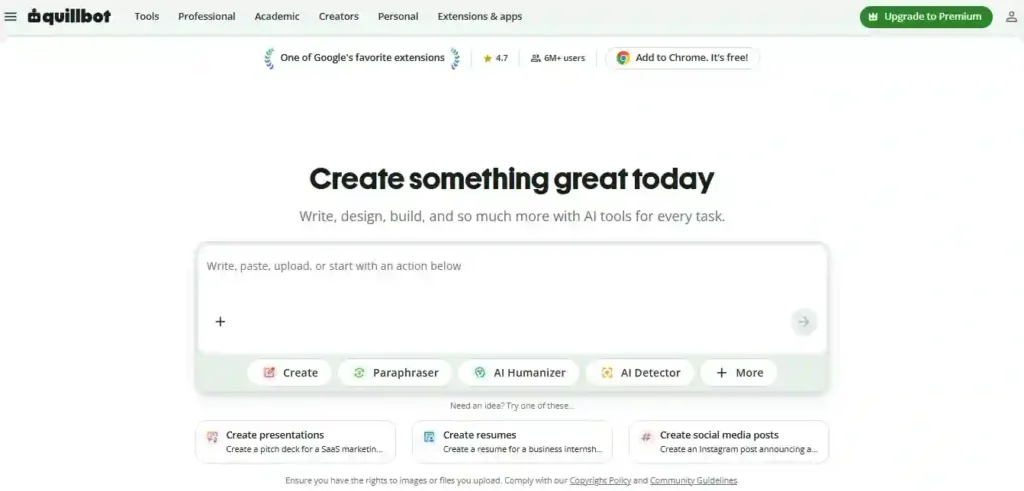
QuillBot helps students rewrite text, improve sentence flow, summarize long documents, and generate citations. It’s especially useful for editing drafts and expressing ideas more clearly in your own words.
Used responsibly, QuillBot can improve readability and reduce repetition, but students should always review and personalize rewritten content.
Best Features
- AI paraphrasing
- Text summarizer
- Grammar checker
- Citation generator
- Multiple writing modes
- Sentence rewriter
Pros
- Fast paraphrasing
- Easy to use
- Helpful for editing drafts
- Supports academic writing
- Includes summarization tools
Cons
- Free plan has word limits
- Premium unlocks better writing modes
- AI-generated wording may still need manual editing
Free Plan
The free plan offers basic paraphrasing, summarization, and grammar checking with usage limits.
Best For
- Rewriting essays
- Summarizing articles
- Improving readability
- Citation assistance
Pricing
Free plan with optional Premium subscription.
Official Website
https://quillbot.com
Rating
⭐⭐⭐⭐☆
Expert Tip
Use QuillBot after writing your own draft to improve clarity and sentence flow. Avoid relying on it to rewrite entire assignments, as your final submission should reflect your own understanding and writing style.
8. Canva AI – Best AI Tool for Presentations and Designs
Overview
Canva AI helps students create professional presentations, posters, infographics, social media graphics, and other visual projects with minimal design experience. Its AI-powered tools can generate slide content, suggest layouts, and create images, making it an excellent choice for school and college assignments.
Best Features
- AI presentation generator
- Magic Write for content creation
- AI image generation
- Thousands of customizable templates
- Drag-and-drop editor
- Team collaboration
Pros
- Beginner-friendly interface
- Large template library
- Excellent presentation quality
- Cloud-based collaboration
- Saves hours of design work
Cons
- Some premium templates require a paid plan
- Advanced AI features have usage limits
- Internet connection required
Free Plan
Includes thousands of templates and access to basic AI features.
Best For
- Presentations
- Posters
- Infographics
- School projects
- Visual assignments
Pricing
Free plan with optional Canva Pro subscription.
Official Website
https://www.canva.com
Rating
⭐⭐⭐⭐☆
Expert Tip
Use Canva AI to convert class notes into visually engaging slides before presentations.
9. Microsoft Copilot – Best AI for Productivity
Overview
Microsoft Copilot helps students write documents, summarize information, organize projects, analyze spreadsheets, and create presentations. It integrates with Microsoft 365 apps, making it especially useful for students who regularly use Word, Excel, PowerPoint, and OneNote.
Best Features
- AI writing assistance
- Document summarization
- Excel data analysis
- PowerPoint slide generation
- Microsoft 365 integration
Pros
- Excellent productivity features
- Familiar Microsoft interface
- Saves time on assignments
- Helpful for reports and presentations
Cons
- Best experience requires Microsoft 365
- Some advanced features require a subscription
- Learning curve for new users
Free Plan
Basic Copilot features are available for free.
Best For
- Reports
- Productivity
- Office documents
- Class projects
Pricing
Free plan with optional Microsoft 365 subscription.
Official Website
https://copilot.microsoft.com
Rating
⭐⭐⭐⭐☆
Expert Tip
Use Copilot to organize rough notes into a structured outline before starting a report or presentation.
10. Gamma – Best AI Presentation Generator
Overview
Gamma allows students to create presentations, documents, and web pages from a simple prompt. Instead of designing slides manually, Gamma automatically generates a polished presentation with layouts, visuals, and structured content.
Best Features
- AI-generated presentations
- Automatic slide design
- Smart formatting
- Collaboration tools
- Interactive presentations
Pros
- Extremely fast
- Modern presentation designs
- Easy to edit
- Great for classroom projects
Cons
- Free AI credits are limited
- Advanced customization requires a paid plan
- Requires internet access
Free Plan
Free plan includes limited AI credits.
Best For
- Presentations
- Reports
- Group projects
- Classroom assignments
Pricing
Free plan with optional paid upgrades.
Official Website
https://gamma.app
Rating
⭐⭐⭐⭐☆
Expert Tip
Provide Gamma with a detailed prompt to generate a more accurate and complete presentation.
11. Notion AI – Best AI Tool for Study Organization
Overview
Notion AI combines note-taking, task management, databases, and AI assistance in one workspace. Students can organize assignments, create study planners, summarize notes, and manage long-term academic projects efficiently.
Best Features
- AI note summaries
- Task management
- Study planners
- Writing assistance
- Database organization
Pros
- Highly customizable
- Combines multiple productivity tools
- Excellent for long-term planning
- Clean and organized interface
Cons
- Takes time to learn
- AI features may have usage limits
- Advanced AI requires a paid plan
Free Plan
The free workspace includes core organization features, while AI capabilities may be limited.
Best For
- Note organization
- Study planning
- Project management
- Semester planning
Pricing
Free plan with optional AI subscription.
Official Website
https://www.notion.so
Rating
⭐⭐⭐⭐☆
Expert Tip
Create a dashboard for each semester to manage assignments, exams, notes, and deadlines in one place.
12. Otter.ai – Best AI Lecture Note-Taking Tool
Overview
Otter.ai automatically records lectures and converts spoken words into searchable text. It’s particularly useful for students who want accurate lecture notes without typing everything manually.
Best Features
- Live transcription
- Lecture recording
- Speaker identification
- AI-generated summaries
- Searchable notes
Pros
- Saves note-taking time
- Accurate transcription
- Easy review after class
- Helpful for group discussions
Cons
- Monthly transcription limits
- Works best with clear audio
- Some premium features require payment
Free Plan
Includes a limited number of transcription minutes each month.
Best For
- Lecture notes
- Interviews
- Study groups
- Online classes
Pricing
Free plan with optional premium subscriptions.
Official Website
https://otter.ai
Rating
⭐⭐⭐⭐☆
Expert Tip
Review and edit your transcript shortly after class while the lecture is still fresh in your memory.
13. ElevenLabs – Best AI Text-to-Speech Tool
Overview
ElevenLabs converts written text into realistic speech, making it useful for students who prefer listening instead of reading. It’s also valuable for language learners, accessibility, and reviewing notes while commuting or exercising.
Best Features
- Natural AI voices
- Multiple languages
- Adjustable voice settings
- Text-to-speech conversion
- Audio downloads
Pros
- High-quality voice output
- Easy to use
- Excellent pronunciation
- Supports accessibility
Cons
- Free usage limits
- Internet connection required
- Premium plans unlock additional features
Free Plan
Free plan includes limited monthly text-to-speech generation.
Best For
- Audio learning
- Revision
- Accessibility
- Language practice
Pricing
Free plan with optional premium subscriptions.
Official Website
https://elevenlabs.io
Rating
⭐⭐⭐⭐☆
Expert Tip
Convert revision notes into audio files and listen while walking, exercising, or commuting.
14. DeepL – Best AI Translation Tool
Overview
DeepL is widely regarded as one of the most accurate AI translation tools available. It helps students translate documents, understand foreign-language texts, and improve writing across multiple languages.
Best Features
- High-quality translations
- Context-aware language support
- Document translation
- Writing improvements
- Multiple language support
Pros
- Excellent translation quality
- Natural sentence structure
- Simple interface
- Useful for language learners
Cons
- Free document translation limits
- Supports fewer languages than some competitors
- Internet connection required
Free Plan
The free version includes text translation and basic document translation with usage limits.
Best For
- Language learning
- Translation
- International studies
- Reading foreign-language sources
Pricing
Free plan with optional DeepL Pro subscription.
Official Website
https://www.deepl.com
Rating
⭐⭐⭐⭐⭐
Expert Tip
Compare the original text with the translated version to better understand grammar, vocabulary, and sentence structure instead of relying solely on the translation.
Also read: 25 Best AI Content Creation Tools to Create Better Content Faster
How to Choose the Right AI Tool
The best AI tool depends on what you need to accomplish. Instead of relying on a single platform, many students get the best results by combining multiple AI tools for different academic tasks. While this guide focuses on education, AI is also transforming workplaces and businesses. Professionals and entrepreneurs use AI for automation, marketing, customer support, content creation, and productivity. If you’re interested in those use cases, check out our guide on AI Tools for Business Growth.
| Goal | Recommended AI Tools |
| Homework & explanations | ChatGPT, Claude |
| Academic research | Perplexity, Google Gemini |
| Essay writing | ChatGPT, Claude, Grammarly |
| Grammar & editing | Grammarly, QuillBot |
| Note-taking | NotebookLM, Otter.ai |
| Study planning | Notion AI |
| Presentations | Canva AI, Gamma |
| Productivity | Microsoft Copilot |
| Language learning | DeepL, ElevenLabs |
| Exam revision | NotebookLM, ChatGPT |
Tip: Start with one or two AI tools and gradually add more as your needs grow. Using multiple specialized tools often delivers better results than relying on a single platform.
Common Mistakes Students Make When Using AI
AI is most effective when it supports learning rather than replacing it. Avoid these common mistakes:
- Copying AI-generated answers without understanding them.
- Submitting AI-generated work without reviewing or editing it.
- Relying on a single AI tool for every task.
- Failing to verify facts, citations, or calculations.
- Ignoring your school’s academic integrity policies.
- Sharing sensitive personal or academic information with AI tools.
- Overusing paraphrasing tools instead of developing your own writing skills.
Use AI as a study partner—not as a shortcut to avoid learning.
Are Free AI Tools Safe?
Most well-known AI platforms are generally safe to use when accessed through their official websites or apps. However, students should follow a few basic precautions:
- Avoid uploading personal, financial, or confidential information.
- Be cautious when sharing assignments or unpublished research.
- Review the platform’s privacy policy before uploading documents.
- Verify important facts with reliable academic sources.
- Sign out of shared or public computers after using AI tools.
Responsible use helps protect your privacy while making the most of AI-powered learning.
The Future of AI in Education
Artificial intelligence is becoming an increasingly important part of education. As AI technology evolves, students can expect more personalized learning experiences, smarter tutoring systems, faster feedback, and better collaboration tools.
Future AI-powered education is likely to include:
- Personalized learning paths based on individual progress
- AI tutors that provide real-time guidance
- Interactive learning with voice, video, and virtual reality
- Faster feedback on assignments and practice tests
- Better accessibility for students with different learning needs
While AI will continue to improve, critical thinking, creativity, and independent learning will remain essential skills. Students who learn to use AI responsibly will be better prepared for both academic success and future careers.
Conclusion
Artificial intelligence has become an essential part of modern learning, giving students faster access to explanations, research, writing support, and study organization. The real value of these tools is not in replacing study habits, but in improving how students understand, practice, and manage their academic work.
Each AI tool serves a different purpose—some are better for research, others for writing, note-taking, presentations, or revision. Because of this, the most effective approach is to combine a few tools based on your specific needs rather than relying on a single platform for everything.
Used wisely, AI can save time, reduce stress, and make complex topics easier to understand. However, it should always support real learning: reading, thinking critically, practicing problems, and building your own understanding of the subject.
Students who learn to use AI responsibly will not only perform better in school but also develop stronger skills for future studies and careers.
Further Reading & Authoritative Resources
If you’d like to explore artificial intelligence beyond student-focused tools, the following organizations publish trusted research, reports, and educational resources on AI, productivity, and emerging technology:
- Google AI – Research, publications, and updates on artificial intelligence technologies and responsible AI.
- Stanford AI Index Report – Annual analysis of global AI trends, adoption, education, and industry developments.
- Microsoft AI – Resources covering AI productivity, responsible AI practices, and workplace innovation.
- IBM AI – Expert insights, research, and practical guides on artificial intelligence and machine learning.
- McKinsey & Company – Reports on AI adoption, productivity, digital transformation, and the future of work.
- Gartner – Independent research and market analysis covering AI technologies and enterprise adoption.
- Deloitte Tech Trends – Annual reports exploring emerging technologies, including artificial intelligence and automation.
- World Economic Forum – Research on AI’s impact on education, employment, skills, and the global economy.
These resources provide reliable, research-based insights into how artificial intelligence is transforming education, productivity, businesses, and the future of work.
Frequently Asked Questions (FAQs)
1. What is the best free AI tool for students?
ChatGPT is one of the best all-around free AI tools for students because it helps with homework, writing, brainstorming, coding, and learning. However, the best choice depends on your specific needs. Perplexity is excellent for research, NotebookLM for study notes, and Grammarly for writing.
2. Are AI tools free for students?
Yes. Many leading AI tools offer free plans, including ChatGPT, Google Gemini, Claude, Perplexity, NotebookLM, Grammarly, QuillBot, Canva AI, Microsoft Copilot, DeepL, and Otter.ai. Free plans are usually sufficient for everyday studying and assignments.
3. Can students use AI for homework?
Yes. AI can explain concepts, solve practice problems, and guide students through difficult topics. However, it should be used to support learning rather than copying answers directly, and students should always follow their school’s academic integrity policies.
4. Which AI tool is best for research?
Perplexity is one of the best AI research tools because it provides source-backed answers and makes it easy to verify information. Google Gemini is also a strong choice for researching current topics and summarizing web content.
5. What is the best AI for writing essays?
ChatGPT and Claude are excellent for brainstorming, outlining, and drafting essays, while Grammarly helps improve grammar, clarity, and readability during the editing process.
6. Which AI tool is best for note-taking?
NotebookLM is ideal for organizing study materials and generating summaries from your own documents, while Otter.ai is excellent for recording and transcribing lectures.
7. Which AI tool is best for presentations?
Canva AI and Gamma are among the best tools for creating presentations. They can generate slides, suggest layouts, and help students build professional-looking presentations in less time.
8. Are AI tools safe for students?
Most reputable AI tools are safe when used responsibly. Avoid sharing personal information, confidential documents, or sensitive academic materials, and always use official websites or apps.
9. Can AI improve grades?
AI can help improve academic performance by making studying more efficient, explaining difficult concepts, and organizing learning materials. Better grades depend on consistent study habits and how effectively students use these tools.
10. Can AI replace studying?
No. AI is designed to support learning, not replace it. Students still need to read, practice, think critically, and understand concepts to succeed academically.
Also Read: 8 best free AI tools for beginners — no experience needed
Explore More Categories
If you are interested in more useful digital tools and updates, you may also like: