My neighbor texted me last month, asking “Everyone keeps talking about AI — where do I even start ?” She’s not a tech person. She runs a little home daycare and barely has time to check email, let alone learn new software. That question is exactly why this guide exists: to help you navigate through the best free AI tools for beginners, without all the jargon , the sales pitch, or the 47 browser tabs you d normally need to puzzle it out yourself.
This is, basically, a list of the best free AI tools for beginners, made especially for people with zero technical background students, homemakers, first-time AI users, anyone who just wants AI tools for everyday life, without a learning curve. By the time you finish this article, you’ll know which free AI tools to try first, what each one is really good for, and how to start using one in the next 10 minutes — no credit card, no download, no tech background required.
The best free AI tools for beginners in 2026 are ChatGPT (writing and questions), Canva AI (design), Grammarly (writing correction), Perplexity AI (research), Otter.ai (voice transcription), Google Gemini (Google integration), Remove.bg (image editing), and Notion AI (notes). All 8 offer usable free plans with no technical skill required.
Table of Contents
Why beginners should start with free AI tools
Choosing from the best free AI tools for beginners can feel confusing at first, simply because there are so many options claiming to be “the one you need.” That’s exactly why this guide narrows things down to the best free AI tools for beginners that are actually worth your time in 2026.
The real reason to start with the best free AI tools for beginners isn’t just about saving money — it’s about removing risk. When you’re testing something new, you don’t want to commit your credit card before you even know if the tool fits how you work. Free plans let you click around, make mistakes, and figure out what’s actually useful to you before spending a single rupee or dollar.
Two tools make this point well. The free tier of ChatGPT lets you ask unlimited questions and write full drafts without ever entering payment details. Canva’s AI free plan gives you Magic Write and basic design tools that are genuinely usable for everyday projects, not just a teaser.
Adoption numbers back this up too. DataReportal’s Digital 2026 report found that more than 1 billion people worldwide now use AI tools regularly, and that figure doesn’t even count AI features already built into everyday apps like Gmail or Canva (DataReportal, Digital 2026). That’s not because everyone became a programmer overnight — it’s because the best AI tools no experience needed were built for people who have never written a line of code.
If you’re a student, a homemaker, or someone switching careers, free AI tools for non-tech users are the lowest-risk way to find out if AI actually saves you time. These easy AI tools to use cost you nothing to try. You only lose time by waiting, and that’s exactly why beginner AI software free is worth exploring this week, not next year.
8 best free AI tools for beginners in 2026
Here are the 8 best free AI tools for beginners worth trying first, ranked by how useful they are for someone with zero AI experience. This roundup of the best free AI tools for beginners covers writing, design, research, and editing, so you’re not stuck using one tool for jobs it wasn’t built for. Every one of these doubles as a genuinely useful AI tool for everyday use, not just a novelty.
1. ChatGPT — best free AI for writing and questions
As one of the best free AI tools for beginners, ChatGPT answers questions, writes text, and explains anything in plain language, from recipe substitutions to how compound interest works. For beginners, the best use case is writing emails, summarizing long articles, or getting help with homework when you’re stuck and don’t have anyone to ask.
The free plan runs on GPT-4o mini with generous daily limits, so you can use it regularly without hitting a paywall. Difficulty is about as low as it gets: you type a question like you’re texting a friend, and it answers.
Link: https://chatgpt.com/
2. Canva AI — best free AI for design
Among the best free AI tools for beginners, Canva AI stands out for design: it creates social media posts, presentations, and thumbnails using simple prompts and drag-and-drop tools. If you’ve ever wanted to make an Instagram post or YouTube thumbnail but assumed you needed design skills, this removes that excuse entirely.
The free plan includes Magic Write for captions and basic AI design features, which is more than enough to get started. Difficulty is very easy — most of the work is dragging elements into place. If you want to go deeper on design and content creation, see our roundup of the best AI content creation tools.
Link: https://www.canva.com/
3. Grammarly — best free AI for writing correction
For correcting writing, Grammarly is one of the best free AI tools for beginners: it checks grammar, spelling, and clarity in real time as you type, whether you’re writing an email, a school essay, or a social media caption. It catches the small mistakes that make writing look unpolished, the kind most people miss when reading their own work.
The free plan covers core grammar and spelling checks, while the paid version adds tone detection and rewrite suggestions. Difficulty is very easy — install the browser extension once and it works automatically across most websites you already use.
Link: grammarly.com
4. Perplexity AI — best free AI for research
For research, Perplexity AI is one of the best free AI tools for beginners because it answers questions with cited sources, working more like a research assistant than a traditional search engine. Instead of scrolling through 10 different websites trying to piece together an answer, you get a direct response with links to where the information came from.
It’s fully free for basic searches, and you don’t even need to create an account to start using it. Difficulty is easy — it works almost exactly like a search bar.
Link: perplexity.ai
5. Otter.ai — best free AI for voice and meetings
Otter.ai earns its spot among the best free AI tools for beginners by transcribing voice recordings and meetings into text automatically, which is genuinely useful if you’ve ever tried to take notes during a lecture or work call while also actually listening. I’ve used it during long meetings and had a clean, searchable transcript ready before I’d even left the room.
The free plan includes 300 minutes of transcription per month, which covers most students and casual users comfortably. Difficulty is easy — you hit record, and it does the rest.
Link: otter.ai
6. Google Gemini — best free Google AI assistant
Google Gemini is consistently ranked among the best free AI tools for beginners because it answers questions, drafts content, and integrates directly with Gmail and Google Docs. If you already use Google’s apps daily, this is the tool with the least friction, since it’s already sitting inside software you open every day.
It’s fully free with a standard Google account and requires no credit card. Difficulty is very easy — there’s nothing new to install or sign up for if you already have Gmail.
Link: gemini.google.com
7. Remove.bg — best free AI for image editing
Remove.bg removes the background from any photo in about 5 seconds, automatically detecting the subject without you needing to touch a single editing tool. It’s perfect for creating clean product photos or a simple profile picture without learning Photoshop.
The free version works with a watermark, while the paid plan removes it. Difficulty is the easiest on this entire list: upload a photo, and you’re done.
Link: remove.bg
8. Notion AI — best free AI for notes and productivity
Rounding out the best free AI tools for beginners, Notion AI helps write, summarize, and organize notes directly inside Notion, your existing notes app. It’s especially handy for taking meeting notes and then asking the AI to pull out action points so nothing gets lost in a wall of text.
The Notion free plan includes a limited number of AI responses, enough to test whether it fits your workflow. Difficulty is easy once your Notion account is set up, which takes about 2 minutes. If you’re using these tools for a side business rather than personal tasks, check out our guide to AI tools for business growth.
Link: notion.so
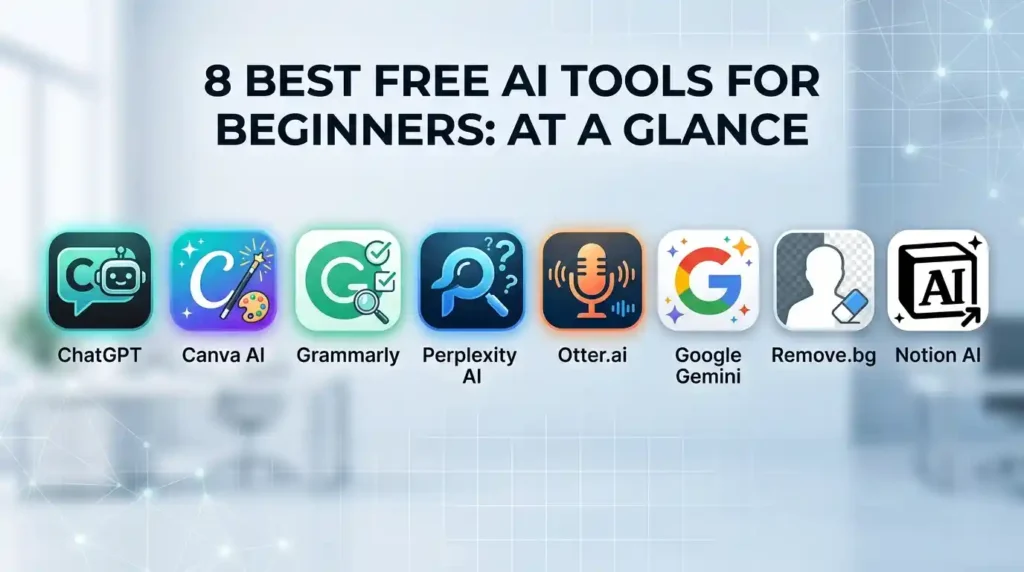
Comparison table: all 8 of the best free AI tools for beginners at a glance
| Tool | Best for | Free tier | Difficulty |
| ChatGPT | Writing & Q&A | Yes — daily limits | Easy |
| Canva AI | Design | Yes — basic AI features | Very easy |
| Grammarly | Writing correction | Yes — grammar only | Very easy |
| Perplexity AI | Research | Yes — fully free | Easy |
| Otter.ai | Voice & meetings | Yes — 300 min/month | Easy |
| Google Gemini | Google integration | Yes — fully free | Very easy |
| Remove.bg | Image editing | Yes — with watermark | Easiest |
| Notion AI | Notes & productivity | Yes — limited AI | Easy |
Editor’s tip: If you can only try 1 tool today, start with Google Gemini — it requires no new account if you already use Gmail, and it works inside Google Docs instantly. Based on setup time alone, it’s usable within 2 minutes.
Also read: 14 Best Free AI Tools for Students in 2026 (Compared, Tested & Ranked)
How to start using the best free AI tools for beginners — 5 steps
Once you’ve picked one from the best free AI tools for beginners list above, here’s exactly how to start using it today.
1. Pick 1 tool only — do not try all 8 at once. Trying everything at once is the fastest way to feel overwhelmed and quit. Choose the tool that matches a task you already do regularly, like writing emails or editing photos, and ignore the rest for now.
2. Go to the tool’s website — do not download anything for most of these. Almost every tool on this list, including ChatGPT, Perplexity, and Remove.bg, works directly in your browser. Avoid any site asking you to download unfamiliar software before you’ve even tried the free web version.
3. Start with a simple task you already do. Write an email you were going to write anyway, search for something you were already curious about, or edit a photo you already had saved. This gives you a real comparison instead of a made-up test that doesn’t mean anything to you.
4. Common beginner mistake to avoid: giving the AI a one-word prompt. Typing just “email” or “photo” gives the AI nothing to work with, and you’ll get a generic, unhelpful result. Always add context — who it’s for, what tone you want, what the end goal is — the same way you’d brief a person.
5. Save the result and compare with how long it would have taken you without AI. This is the step most beginners skip, and it’s the one that actually proves the value of free AI tools for non-tech users. If a task that normally takes 20 minutes took 4, you’ve found a tool worth keeping.
4 mistakes beginners make with free AI tools
Even with the best free AI tools for beginners lined up, a few habits trip people up early on. None of these mistakes mean you’re “bad with technology” — they’re just common, fixable patterns.
1. Expecting perfect results on the first try. AI tools respond to how clearly you ask, not just what you ask. A vague prompt gets a vague answer, and that’s a prompting problem, not a tool problem.
2. Skipping the free tier and paying immediately. There’s rarely a reason to upgrade before you’ve used the free version for at least a week. Most beginners find the free plan covers what they actually need.
3. Using only 1 tool for everything. ChatGPT isn’t built to remove image backgrounds, and Remove.bg can’t write you an email. Matching the right tool to the right task saves far more time than forcing one tool to do everything.
4. Giving up after one bad result. AI tools improve with better instructions, not with giving up. If the first answer misses the mark, add more detail and try again — most beginners get a usable result by their second or third attempt with even the easiest AI tools to use.
Conclusion
If you only try 3 tools from this list of the best free AI tools for beginners, start with Google Gemini, ChatGPT, and Grammarly — together they cover writing, questions, and research, which is what most beginners need first. None of them require tech skills, a credit card, or a download for the core experience, which is exactly why they qualify as the best AI tools no experience needed.
The only step left is to actually open one. Pick the tool that matches something you’re already doing today, and give it 10 minutes before you decide whether it’s worth keeping in your routine of AI tools for everyday use.
For tools that skip sign-up entirely, see our guide to Link: Free AI tools without sign up or credit card.
Frequently asked questions
Are free AI tools actually free or do they need a credit card?
Most of the best free AI tools for beginners, including ChatGPT, Perplexity AI, and Google Gemini, are free to use without entering any payment details. A few, like Remove.bg, are free with a small limitation (in this case, a watermark) rather than requiring payment upfront.
Which is the single best AI tool for a complete beginner?
Google Gemini is the easiest starting point if you already use Gmail or Google Docs, since there’s nothing new to set up. If you want something more general-purpose for writing and questions, ChatGPT is the next best option among beginner AI software free choices.
Can I use these free AI tools on my phone without downloading an app?
Yes, all 8 tools work through a mobile browser without needing an app, though most also offer optional apps for a smoother experience. Browser access is enough to try every tool mentioned in this guide.
Is it safe to type personal information into free AI tools?
You should avoid entering sensitive details like passwords, bank information, or other people’s private data into any AI tool, free or paid. For everyday tasks like writing or research, these tools are safe, but treat them the same way you’d treat any online service handling your input.
How long does it take to learn how to use AI tools as a beginner?
Most people get a useful result within their first 10 minutes of trying a single tool. Comfort with prompting — knowing how to phrase a request clearly — usually develops within the first week of regular use with these easy AI tools to use.
Also read:Free AI tools without sign up or credit card: the complete 2026 guide
Explore More Categories
Looking for more helpful guides and digital resources? Explore our popular categories to discover practical tips, the latest updates, and expert insights.
AI Tools & Digital Tools – Discover the best free AI tools, productivity apps, and digital resources to work smarter.
Finance & Making Money – Learn smart ways to save money, earn online, manage personal finances, and grow your income.
WhatsApp Updates – Stay updated with the latest WhatsApp features, tips, tricks, privacy settings, and business tools.
Explore more on WaupWeb to find trusted guides, step-by-step tutorials, and valuable digital resources designed to help users worldwide.