Privacy is really important these days. We all want to keep our talks and work messages private. We also want to keep our media files safe. So it is very important to keep our WhatsApp conversations secure.
WhatsApp has a feature that helps us do this. It is called Chat Lock. This feature lets us add a layer of privacy to the conversations that matter the most.
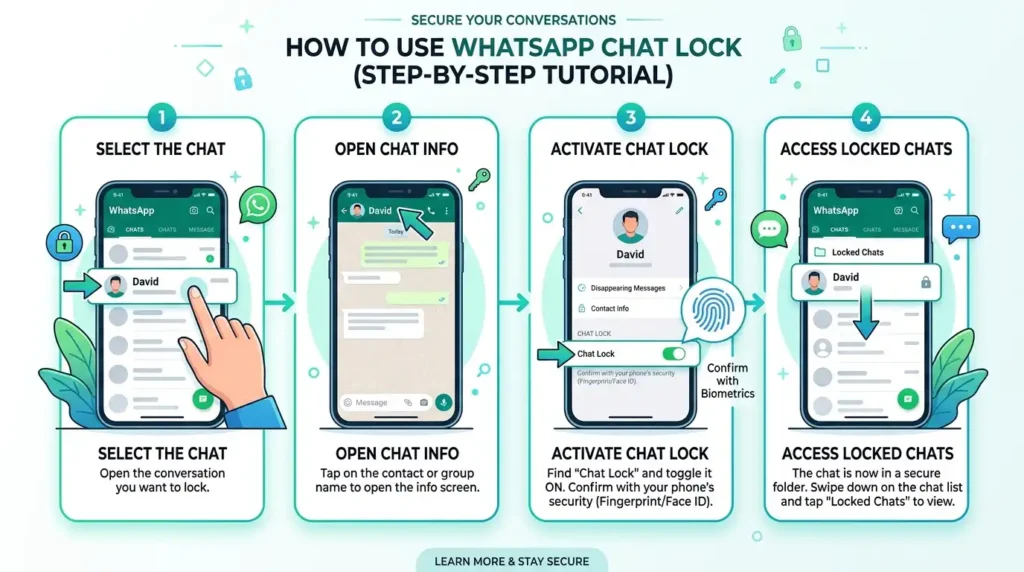
If you want to know how to lock a chat in WhatsApp you have come to the place. This guide will tell you everything you need to know about WhatsApp Chat Lock. You will learn how to enable Chat Lock on your Android phone and your iPhone. You will also learn how to manage the chats that you have locked and what to do if you have any problems, with Chat Lock. We will explain everything in a way so it is easy to understand.
Table of Contents
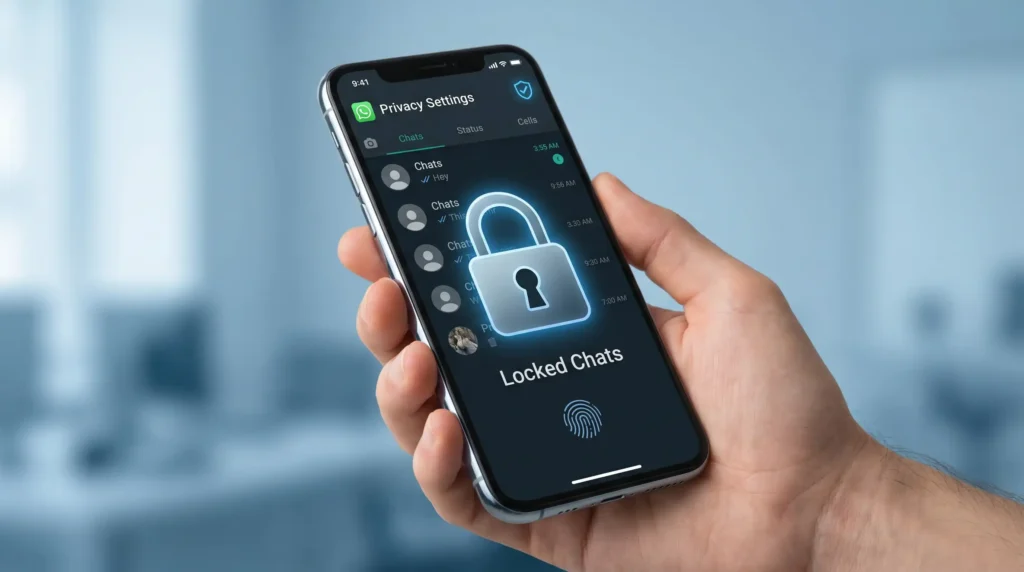
What Is WhatsApp Chat Lock?
WhatsApp Chat Lock is a privacy feature that allows users to secure individual chats using biometric authentication such as:
- Fingerprint
- Face ID
- Passcode
Once a chat is locked, it moves to a separate locked folder and can only be opened after authentication. Notifications from locked chats also hide message content, giving users additional privacy.
This feature is especially useful for:
- Personal conversations
- Financial discussions
- Private family chats
- Work-related communication
- Sensitive information
The chat lock feature is available for both Android and iPhone users.
Why Should You Lock WhatsApp Chats?
Many people use WhatsApp daily for personal and professional communication. Locking chats can provide several benefits.
1. Better Privacy
If someone else uses your phone, locked chats remain hidden and protected.
2. Enhanced Security
Even if your phone is unlocked, private conversations stay secure behind biometric protection.
3. Hidden Notifications
WhatsApp hides the content of messages from locked chats in notifications.
4. Protection Against Unauthorized Access
Friends, coworkers, or family members cannot easily access sensitive conversations.
5. Organized Confidential Chats
Locked chats are stored separately, making them easier to manage.
also read: WhatsApp Backup and Restore: Complete Step-by-Step Guide
Requirements Before Using Chat Lock
Before enabling chat lock, ensure the following:
- Your WhatsApp is updated to the latest version
- Fingerprint lock or Face ID is enabled on your phone
- Device security settings are active
- You have enough storage and system permissions enabled
Updating WhatsApp is important because older versions may not support the feature.
How to Lock a Chat in WhatsApp on Android
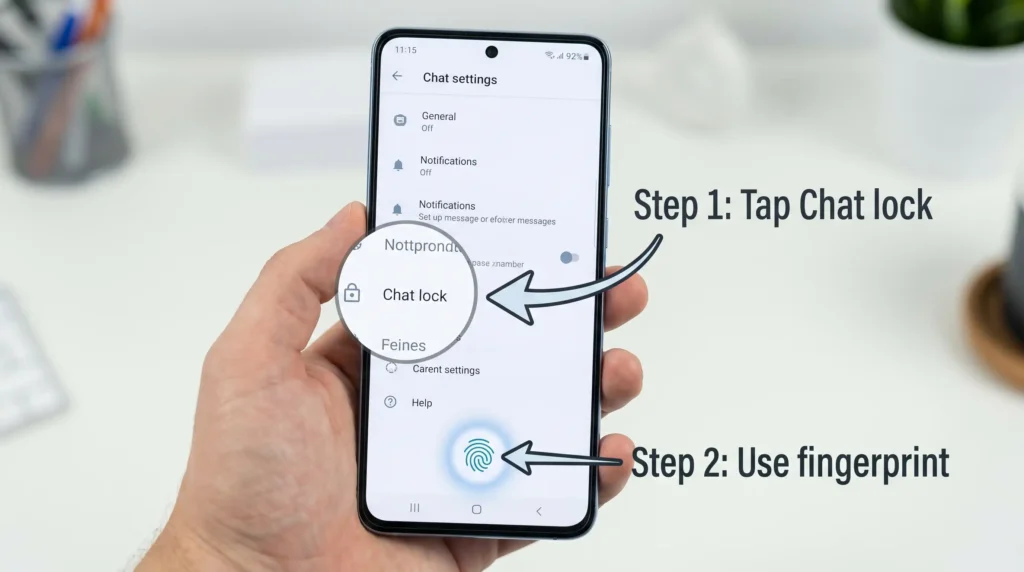
If you are an Android user, follow these simple steps.
Step 1: Open WhatsApp
Launch WhatsApp on your Android device.
Step 2: Select the Chat
Open the individual or group chat you want to lock.
Step 3: Tap the Contact Name
At the top of the screen, tap the person’s or group’s name to open chat settings.
Step 4: Find “Chat Lock”
Scroll down and locate the Chat Lock option.
Step 5: Enable Chat Lock
Tap on “Lock This Chat with Fingerprint.”
Step 6: Verify Fingerprint
Place your finger on the fingerprint sensor to confirm.
Step 7: Chat Locked Successfully
The chat will now move to the Locked Chats folder.
How to Lock a Chat in WhatsApp on iPhone
iPhone users can also lock chats easily using Face ID or passcode.
Step 1: Open WhatsApp
Launch the WhatsApp application.
Step 2: Open the Desired Chat
Choose the chat you want to protect.
Step 3: Tap the Contact or Group Name
You will enter the chat information screen.
Step 4: Select “Chat Lock”
Find and tap the Chat Lock option.
Step 5: Turn On Lock
Enable “Lock This Chat with Face ID.”
Step 6: Authenticate
Use Face ID or your iPhone passcode.
Step 7: Chat Is Secured
Your selected chat is now protected.
Where Are Locked Chats Stored?
After enabling chat lock, WhatsApp creates a special folder called Locked Chats.
To access it:
- Open WhatsApp
- Go to the Chats tab
- Swipe down slightly
- Tap “Locked Chats”
- Verify using fingerprint or Face ID
Only authenticated users can access this folder.
How to Unlock a Chat in WhatsApp
If you no longer want a chat to remain locked, follow these steps.
On Android
- Open WhatsApp
- Go to Locked Chats
- Open the locked conversation
- Tap the contact name
- Select Chat Lock
- Turn off “Lock This Chat”
- Verify fingerprint
On iPhone
- Open WhatsApp
- Access Locked Chats
- Open the desired chat
- Tap contact info
- Disable Chat Lock
- Verify Face ID or passcode
The chat will return to the normal chat list.
How WhatsApp Chat Lock Improves Privacy
WhatsApp designed the feature with user privacy in mind. Here’s how it enhances protection.
Hidden Message Content
Notifications only display:
“WhatsApp: 1 new message”
The actual message text stays hidden.
Media Privacy
Media from locked chats may not automatically appear in your gallery.
Separate Folder
Locked chats remain separated from regular chats.
Authentication Requirement
Biometric verification adds strong security.
Can You Lock Group Chats?
Yes, WhatsApp allows users to lock:
- Individual chats
- Group chats
The process is the same for both.
This is useful for protecting:
- Office groups
- Family groups
- Private communities
- Project discussions
Can Archived Chats Be Locked?
Yes, archived chats can also be locked. The chat lock feature works independently from the archive feature.
You can:
- Archive a chat
- Lock it simultaneously
- Hide it from the main chat screen
This creates even more privacy.
Common Problems and Solutions
Sometimes users face issues while using WhatsApp Chat Lock. Here are common problems and fixes.
Chat Lock Option Not Showing
Solution
- Update WhatsApp
- Restart your phone
- Check device compatibility
Older devices may not support the feature.
Fingerprint Not Working
Solution
- Re-register fingerprint
- Clean fingerprint sensor
- Update phone software
Face ID Issues on iPhone
Solution
- Re-enable Face ID
- Restart device
- Check Face ID settings
Locked Chats Folder Missing
Solution
Swipe down in the chat list. Sometimes the folder remains hidden until you scroll.
How to Hide Locked Chats Further
WhatsApp has introduced an additional privacy feature that allows users to hide the Locked Chats folder using a secret code.
This means:
- Locked chats become invisible
- Users need a secret code to access them
- Privacy increases significantly
To enable secret code protection:
- Open Locked Chats
- Go to settings
- Create a secret code
- Save changes
Now your locked chats remain even more secure.
Benefits of Using WhatsApp Chat Lock
Here are the biggest advantages of using this feature.
1. Increased Personal Security
Protects private conversations from unauthorized access.
2. Better Professional Confidentiality
Useful for business communication and client discussions.
3. Prevents Accidental Access
Even trusted friends cannot accidentally open sensitive chats.
4. Enhanced Mental Peace
Users feel safer knowing private conversations are protected.
5. Easy to Use
The feature requires only a few taps to activate.
Tips for Better WhatsApp Privacy
Besides chat lock, here are additional privacy tips.
Enable Two-Step Verification
This adds an extra PIN to your WhatsApp account.
Use Strong Phone Security
Always use:
- Fingerprint
- Face unlock
- Strong passcodes
Avoid Sharing OTPs
Never share verification codes with anyone.
Keep WhatsApp Updated
Updates include security improvements and bug fixes.
Lock Your Entire WhatsApp App
You can also lock the full WhatsApp application using app lock features.
Difference Between Chat Lock and App Lock
Many users confuse these two features.
| Feature | Chat Lock | App Lock |
| Protects Individual Chats | Yes | No |
| Locks Entire App | No | Yes |
| Hides Notifications | Yes | Depends |
| Separate Chat Folder | Yes | No |
| Built Into WhatsApp | Yes | Sometimes |
Both features can work together for maximum privacy.
Is WhatsApp Chat Lock Safe?
Yes, WhatsApp Chat Lock is considered safe because:
- It uses device-level encryption
- Authentication stays on your phone
- WhatsApp messages remain end-to-end encrypted
- Unauthorized access becomes difficult
However, users should still maintain good digital security practices.
also read:Free WhatsApp Link Generator – No Login, No Save Number
Does Chat Lock Work on WhatsApp Web?
Currently, chat lock is mainly designed for mobile devices. Some features may not fully work on WhatsApp Web or desktop applications.
For maximum security:
- Use locked chats on your smartphone
- Log out of unused devices
- Monitor linked devices regularly
Can Someone See Locked Chats?
Without authentication, others cannot open locked chats.
However:
- People may notice a Locked Chats folder
- They cannot read messages without verification
- Secret code functionality can hide the folder entirely
This significantly improves confidentiality.
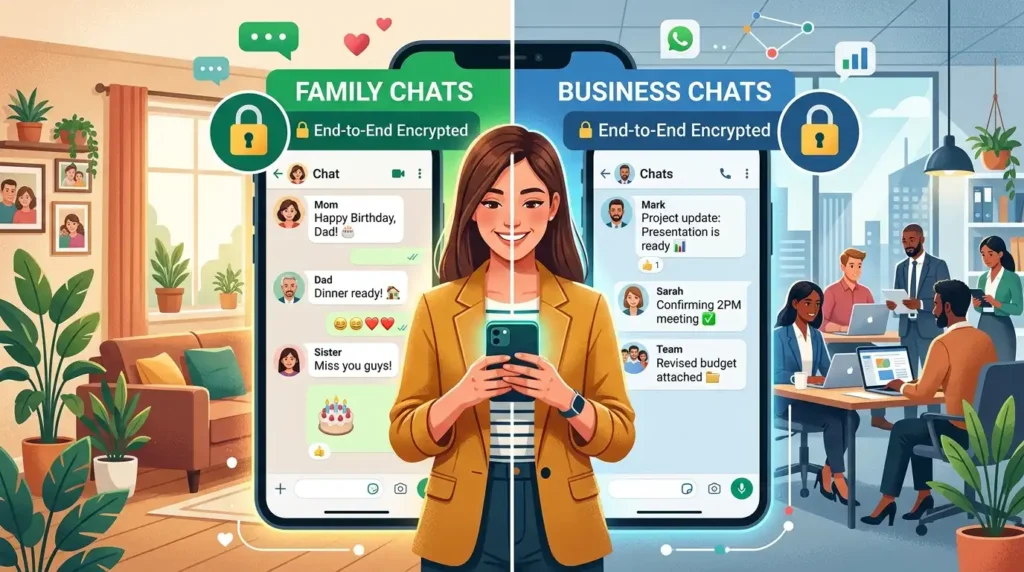
Best Situations to Use WhatsApp Chat Lock
Here are practical situations where chat lock is useful.
Personal Relationships
Protect intimate or emotional conversations.
Business Communication
Secure client information and confidential discussions.
Banking and Financial Information
Protect conversations containing sensitive financial details.
Family Privacy
Keep personal family discussions private.
Shared Devices
Useful when multiple people use the same smartphone.
Frequently Asked Questions
How to lock a chat in WhatsApp?
To learn how to lock a chat in WhatsApp, open the chat, tap the contact name, select Chat Lock, and confirm using your fingerprint, Face ID, or phone password.
Can I Lock Multiple Chats?
Yes, you can lock multiple individual or group chats.
Can someone open my locked WhatsApp chats?
Only someone who has access to your phone unlock method can open them, so device security is very important when learning how to lock a chat in WhatsApp.
Is Chat Lock Free?
Yes, WhatsApp provides the feature free of cost.
Will Locked Chats Be Backed Up?
Yes, locked chats remain part of your WhatsApp backup.
Can I Lock Chats Without Fingerprint?
On supported devices, you can use passcodes or Face ID instead.
Does Chat Lock Hide Media Automatically?
Sometimes media visibility depends on your phone’s gallery settings.
Why should I learn how to lock a chat in WhatsApp?
Learning how to lock a chat in WhatsApp helps protect personal messages, private media, and confidential conversations from unauthorized access.
Final Thoughts
Learning how to lock a chat in WhatsApp is one of the best ways to improve your digital privacy. As online communication continues to grow, protecting sensitive conversations has become increasingly important.
WhatsApp’s Chat Lock feature offers a simple yet powerful solution for safeguarding private chats. Whether you use Android or iPhone, enabling this feature takes only a few minutes and provides long-term peace of mind.
From hiding notifications to securing confidential discussions, chat lock adds an extra layer of protection that every WhatsApp user should consider using.
If you value privacy, now is the perfect time to activate WhatsApp Chat Lock and keep your conversations safe from unwanted access.
Also read: WhatsApp Features Not Showing? Why It Happens and How to Fix It